> For the complete documentation index, see [llms.txt](https://about.jojo.exchange/jojo-1/llms.txt). Markdown versions of documentation pages are available by appending `.md` to page URLs; this page is available as [Markdown](https://about.jojo.exchange/jojo-1/v1-product-guides/tutorials/how-to-place-a-tp-sl-order.md).
# How to Place a TP/SL Order ?
Users can set a take profit price and stop limit price for the order or position. If the market reaches that price , TP/SL order will be triggered, and a market order will be placed to decrease or completely close the position.
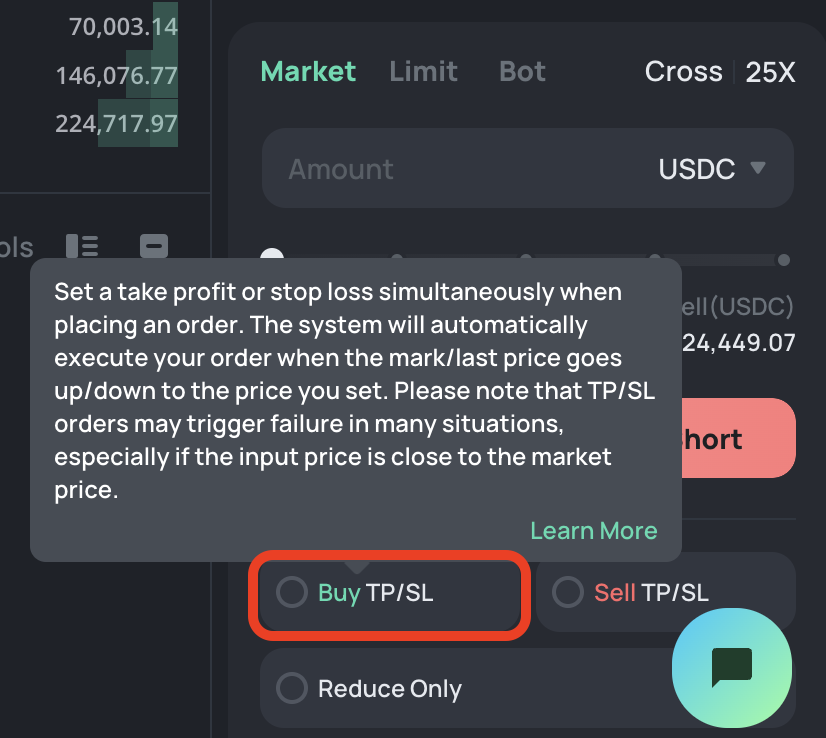
When placing orders on JOJO, you will be able to set the **\[Take Profit]** and **\[Stop Loss]** orders simultaneously. However, to enable this function, users will need to setup the One-click Trade.
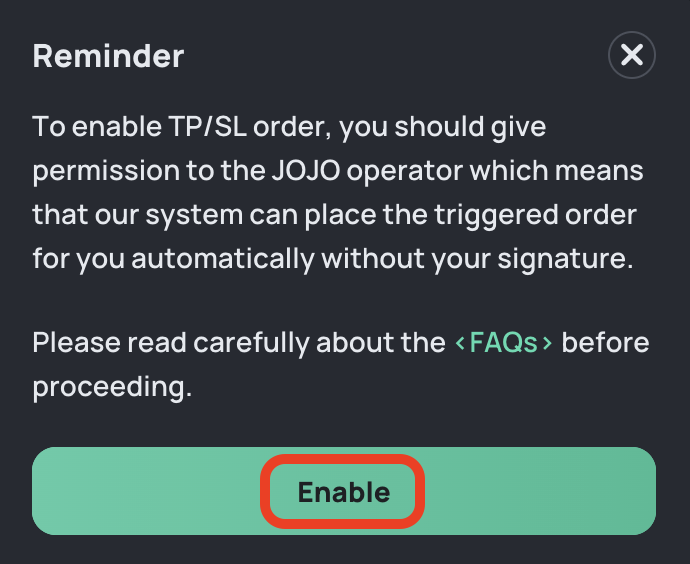
When users click **"Buy TP/SL"** button, there will be a reminder message and users have to confirm **"Enable"** the One-click Trade feature.
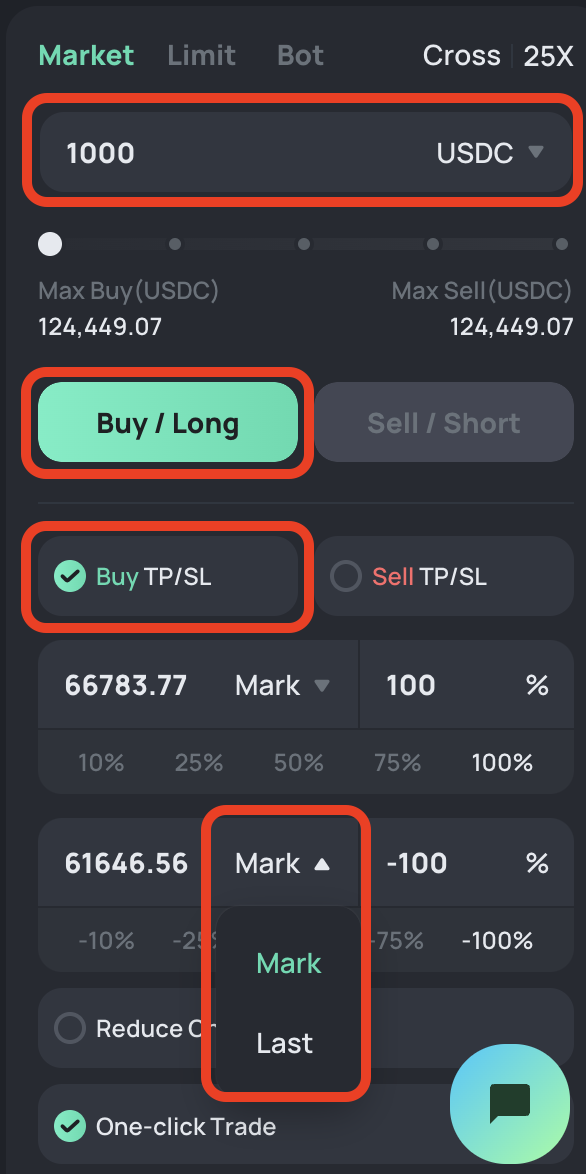
After that users may choose order type, enter the amount, and click **\[TP/SL]** to set the **\[Take Profit]** and **\[Stop Loss]** prices manually based on the **\[Mark Price]** or **\[Last Price]**. Next, click **\[Buy/Long]** or **\[Sell/Short]** to place the order.
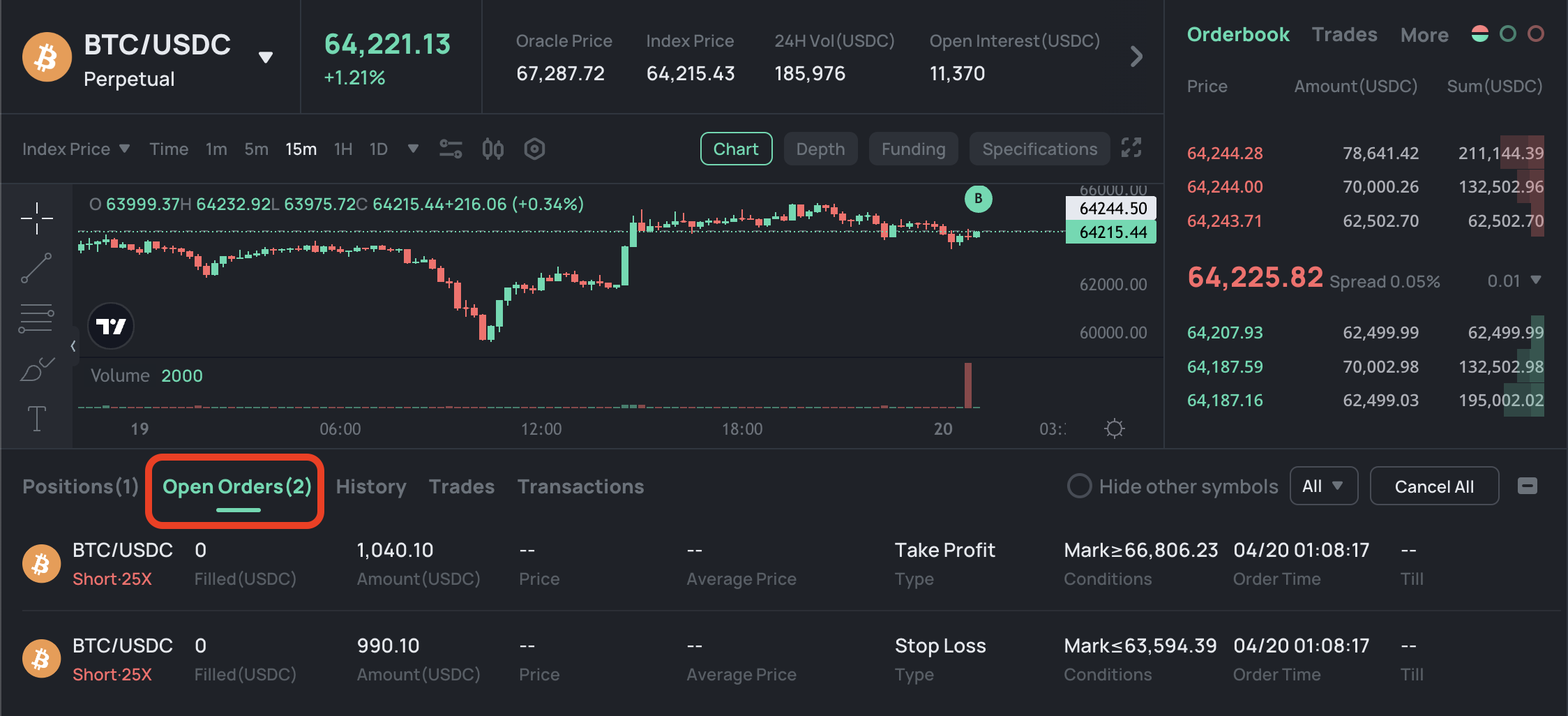
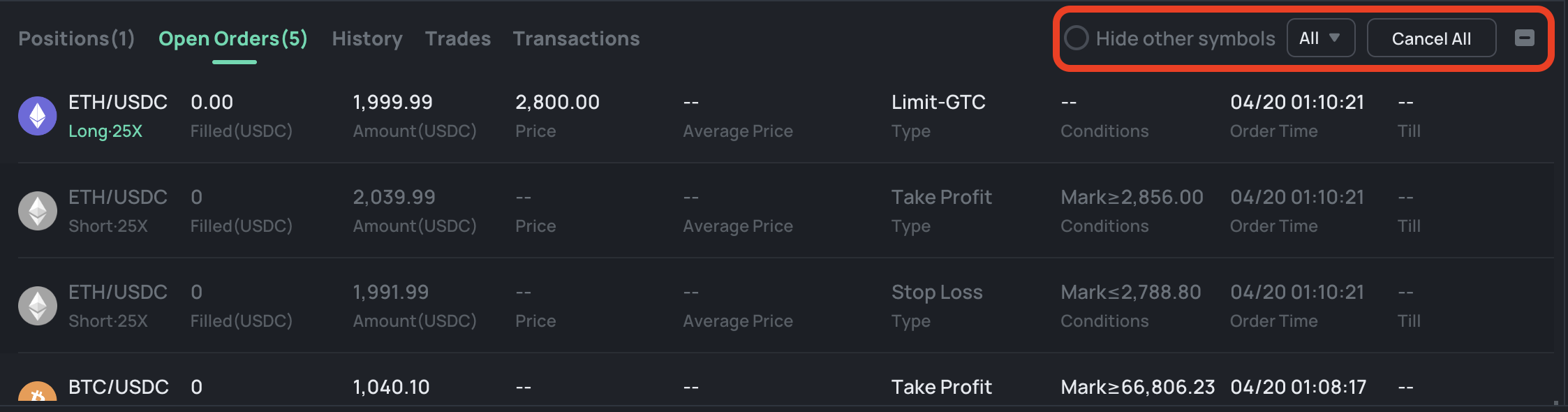
You can check your orders under the **\[Open Orders]** and click **\[ALL]** to choose **\[TP/SL]** to filter orders.
Select **\[Hide other symbols]** will help you filter out your \[TP/SL] orders for the current symbol. You can close any individual **\[TP/SL]** order or select **\[X Cancel All]** to close all orders with one click.