> For the complete documentation index, see [llms.txt](https://about.jojo.exchange/jojo-1/llms.txt). Markdown versions of documentation pages are available by appending `.md` to page URLs; this page is available as [Markdown](https://about.jojo.exchange/jojo-1/v1-product-guides/tutorials/how-to-trade-1000x.md).
# How to trade 1000X ?
## **1. Opening your position.**
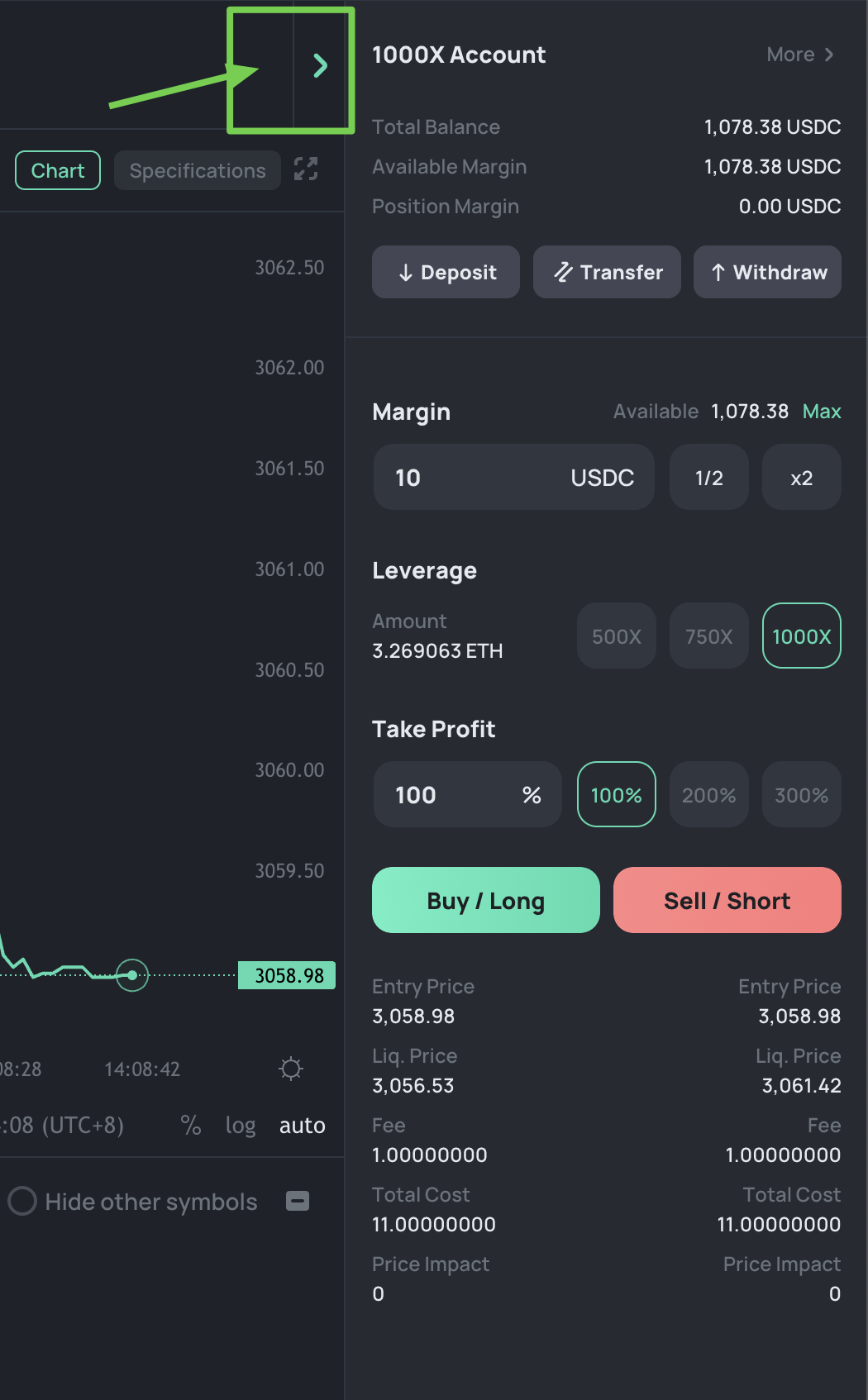
* The first step is \[Deposit], you can deposit directly into 1000X account or transfer funds from perpetual trading account.
* The default Leverage is \[1000X], and the Take Profit is \[100%], you can modify them.
* The default investment margin is set at \[10] USDC, which you can adjust as desired. With 1000X leverage, a 10 USDC investment results in a position amount of 10,000 USDC.
* If you are **bullish** on the market, you should \[Buy].
* If you are **bearish** on the market, you should \[Sell].
* To view related parameters in full mode, you can switch to \[full mode] using the top-right corner option.
## **2. Check your position status.**
When the price rises, a long position will generate profits, with a positive PnL. You can choose to continue holding the position to seek greater profits or click **\[Close]** to lock in your profits.
Please be aware that your position will automatically be closed when it hits the take profit ratio.